组概述
TrackingIO Global提供了一个灵活的账户体系赋予客户在你的应用程序组合管理团队成员的访问权限和设置所需要的精确的控制。
注意:默认情况下创建一个新用户账户‘Default {account_name}’同时也创建了一个组
1.创建一个新的组
- 登录。
- 选择所需的帐户。
SelectAccount Options >Groups.

点击添加组.
输入组名称.
选择包含新的app。(可选)
NOTE:If Include New Apps is selected, each new app that is created is associated with this Group. Selecting this option is useful when it is desired to have one or more groups to have permission to all apps without requiring the manual association to each new app.选择包含新的用户。(可选)
NOTE:If Include New Users is selected, each new user that is created is automatically associated with this Group. Selecting this option is useful when when it is desired to have any new user that is created assigned as part of this Group.选择角色: 帐户管理
应用管理
活动联系
分析师用户
View Conversions (ARM System)
查看Analytics(分析)
查看回传
View Conversions
只读
报告生成访问
VPPN Access
View App Groups
创建应用程序
Custom Role
SmartLinks and VPPNs
Analyst Users
View Conversions Overview
Custom Agency Role
QA Engineer
Testing
Query Role
GSN Reports
API Creation
Smartlink Admin
Test Role
Postback and Reporting Access
欺诈控制台
Create Update Campaigns
Mange Account Apps
GDPR – Marketing
管理设备
NOTE: The Roles list is a comma separated list of the Roles that are assigned to this Group.
NOTE:For information on Custom Roles, contact your Client Success Managers.Select App(s).
NOTE:The Apps list is a comma separated list of the apps that this Group has access to.点击提交。
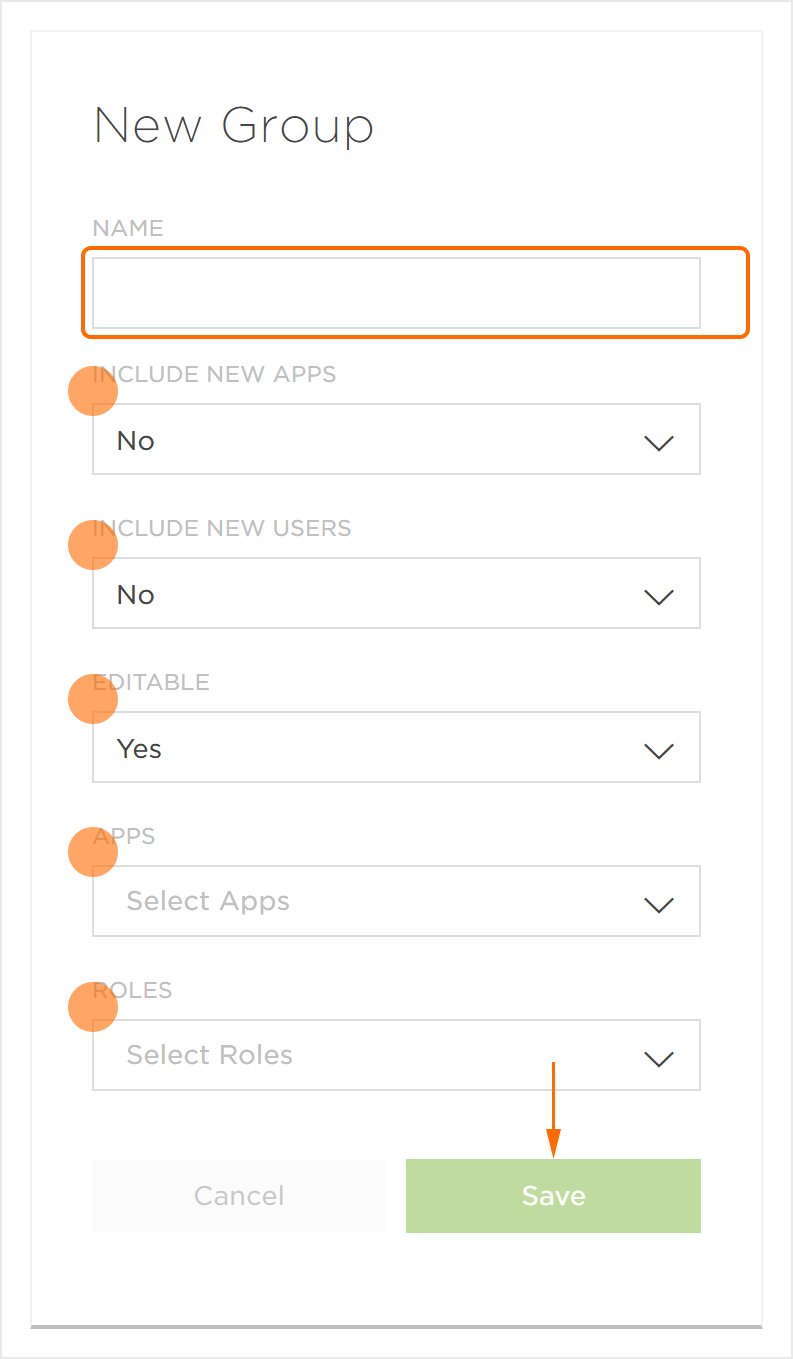
2.删除组
此功能目前仅适用于TrackingIO Global员工。如果您需要删除组,请联系您的客户成功经理。